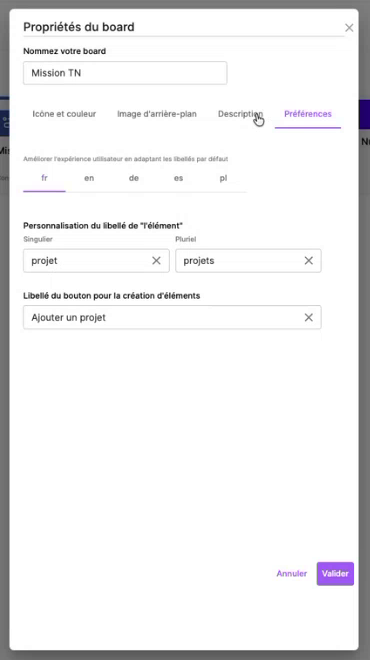
Your board tracks projects, risks, or actions, but SUIVI everywhere refers to “items”. Give them their real name: the button becomes “Add a project” and the form clearly indicates what you are opening. This is even more useful when boards are linked: you see that you are adding a risk to a project, for example.
-
On the homepage, open the three-dot menu of the board tile.
-
Choose Properties, then the Preferences tab.
-
Enter the name in singular, plural, and the label for the creation button.
-
Repeat for each language used, then click Validate