Hello,
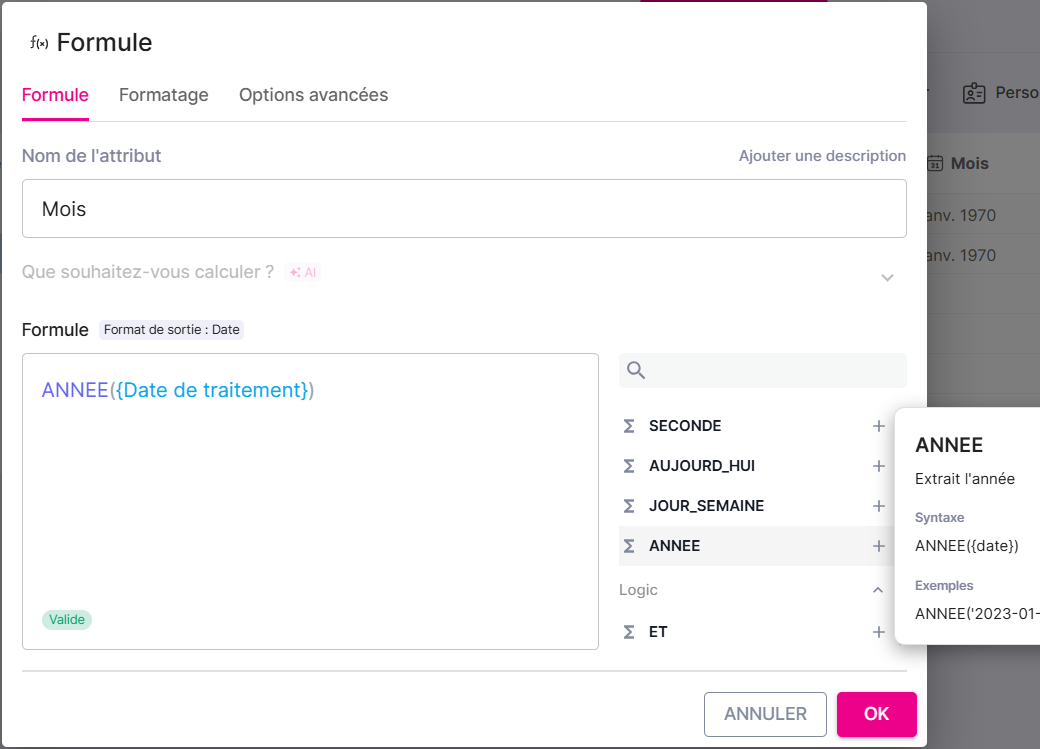
When creating a formula in a board to extract the year from a Date field, it seems there is a display anomaly even though the formula is indicated as valid. Here’s an example with my “Processing Date” field from which I want to retrieve the year:
7
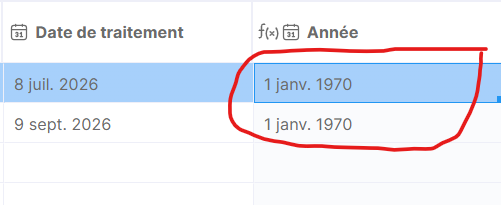
And here is the display obtained:
I have also noticed that this happens with formula types
MONTH and
FORMAT_DATE.
Is it possible to look into this? Thank you in advance.
Hello Pascal, and welcome to the Tracking community
Thank you for this first, very interesting post, which should also interest many others. As formulas are a recent feature, we still need to get a little familiar with them 
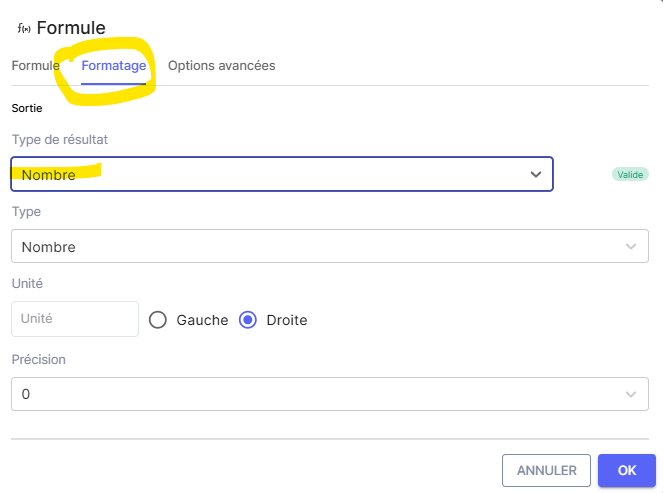
The YEAR function returns a number. So you need to remember to set a corresponding output format. Otherwise, the displayed date is incorrect for a number returning “2026”.
We note, by the way, that it will therefore be necessary to prohibit a “date” formatting, as you were able to set it anyway. Oops.
The MONTH function works exactly the same way. It is effective with a number type formatting.
As for the FORMAT_DATE function, it allows an output formatting of either text or date, depending on how you have formatted it. I’m providing two examples as illustrations.
NB: in my example for the ‘format (date)’ attribute, I simply reversed the original month and year to create a new date.
I wish you many great formulas