Hello team,
I tried to find a way to automatically archive individual items on my board. As I couldn’t find such a functionality (would be great to have, btw ;)), I tried to find a workaround.
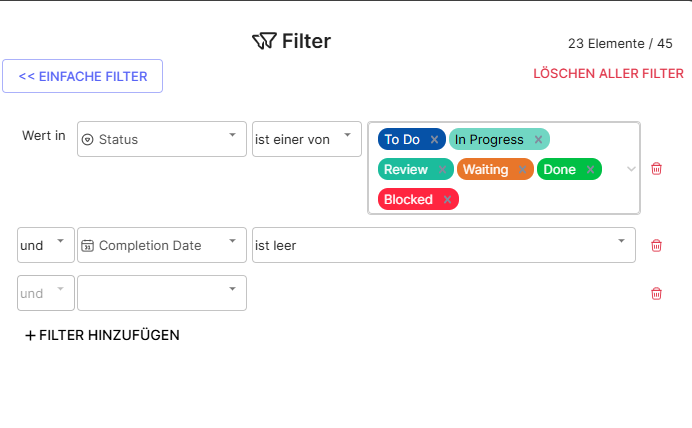
First, I tried to build a complex filter in my view based on my “Completion Date” field. However, I also need to filter for status. Somehow, I can’t create a complex filter with different connectors. I’d need a STATUS AND (Completion Date empty OR Completion Date > 7 days) function, but I can only choose AND or OR.
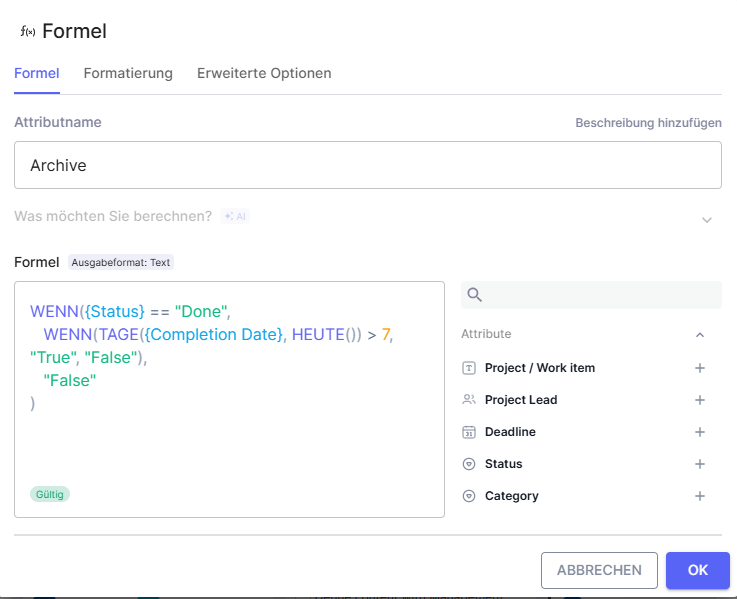
I then tried to work through a formula, where my formula “Archive” field returns “True” if the completion date is > 7 days.
(Image 2 will follow below as I’m only allowed to put one image in my post…)
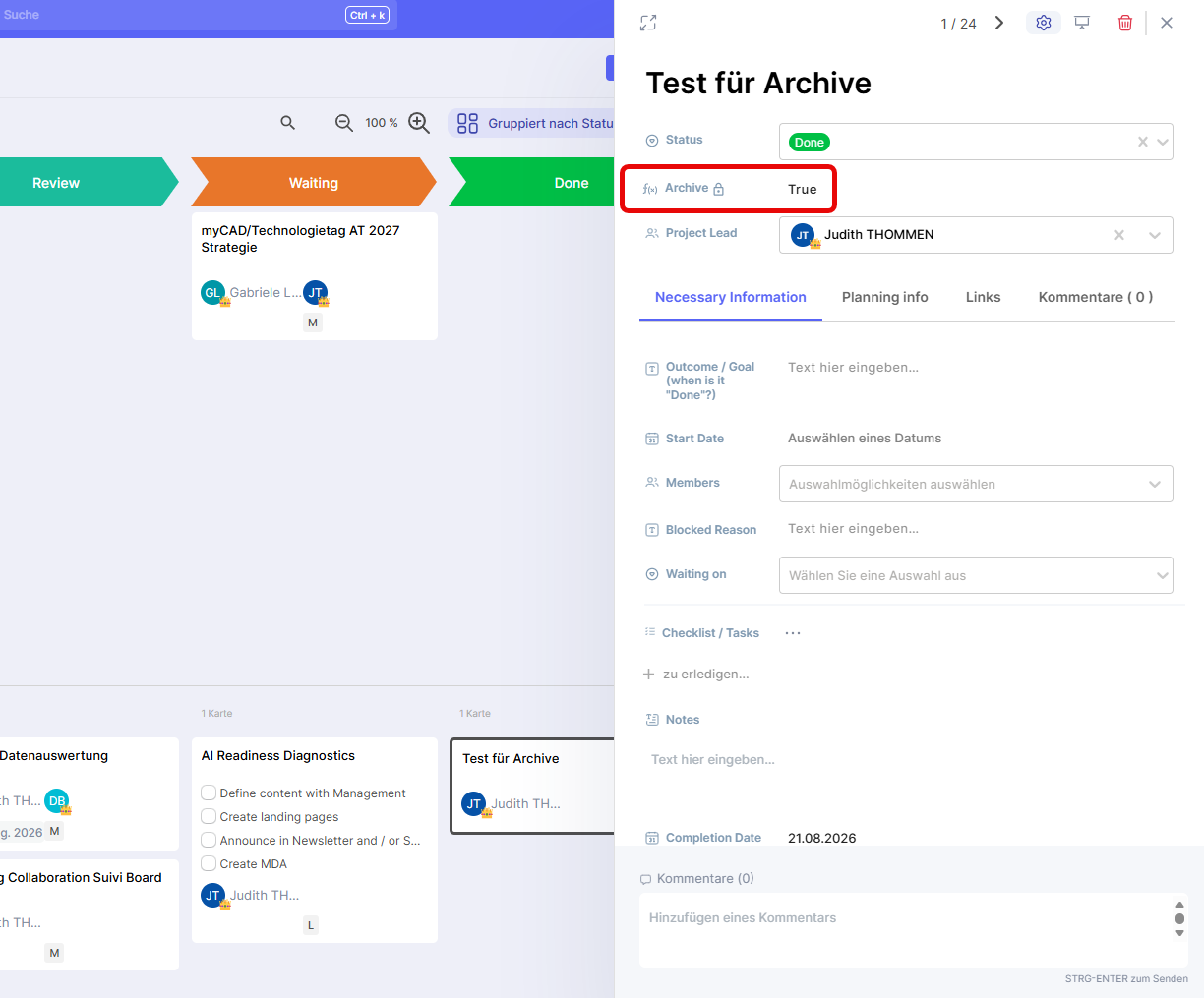
This formula works, and I tested it. The result returns True, as intended:
(Image 3 will follow for the same reason)
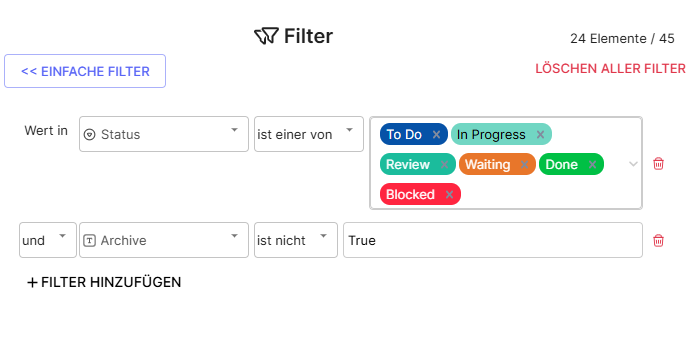
However, then I tried to implement a filter based on that field, and there seems to be an issue with the “is not” filter. This is the filter I put on the view above:
(Image 4 same thing…)
So I said “Archive is not “True””. I also tried “doesn’t contain” “doesn’t begin with”, and I also tried TRUE, “True”, true, “true”, Wahr, Vrai….all the different variations. In all cases, my item still shows. Somehow, this field seems to not be read as text.
Can you advise how I have to put the text into the filter so it is understood by it? Or how I have to change my setup / formula?