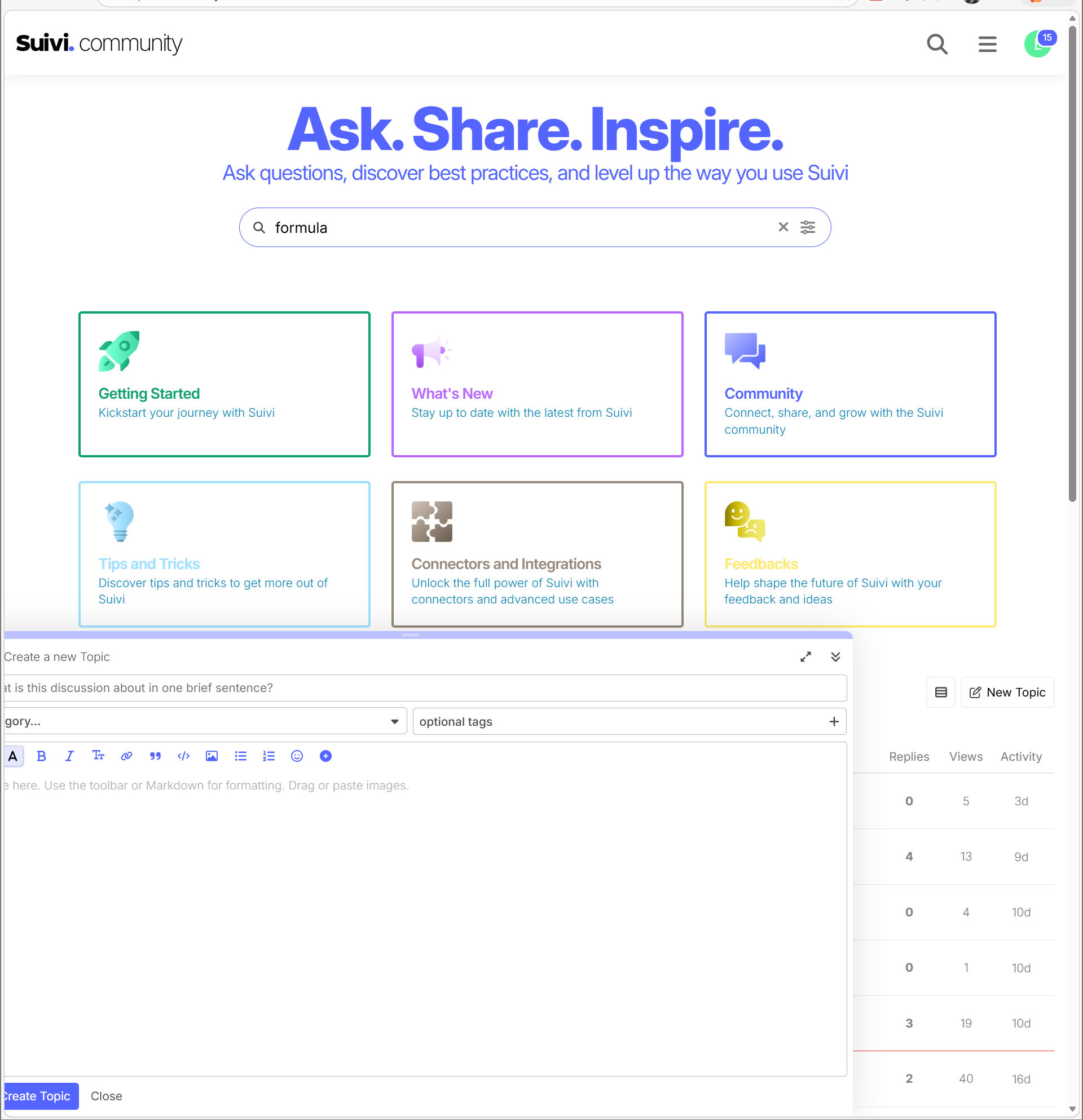
When do not have this page maximized, I get what you see here. Why? Shouldn’t the topic edit window adjust to the size of the current browser size?
@David_CANCALON can you take a look please?
#FollowUpTeam
Hello @EarlHasz,
This is the default behavior of the Discourse editor. To maximize the size of the editor, there are two solutions:
- Use the “Full screen” icon in the top right;
- On the desktop version, Discourse automatically remembers the last window height you used. Rather than clicking the Full screen button, click on the top border of the editor and stretch it upwards as much as possible. The next time you post, the editor will open with the exact same large size.
I understand that this is a “default” behavior. Can it be reported as a bug? It feels like the developers who created this interface only work in full screen mode and not otherwise.