Until now, creating a portal already allowed you to centralize and share your content. Now, you can define your business roles and manage a permission matrix to precisely control who sees what… and who can act.
 What’s New
You can now:
-
Create business roles adapted to your context (e.g., Management, Project Manager, Team, Client, Partner…)
-
Define permissions per page (or per section) for each role
-
Invite members by assigning them one or more business roles from the invitation
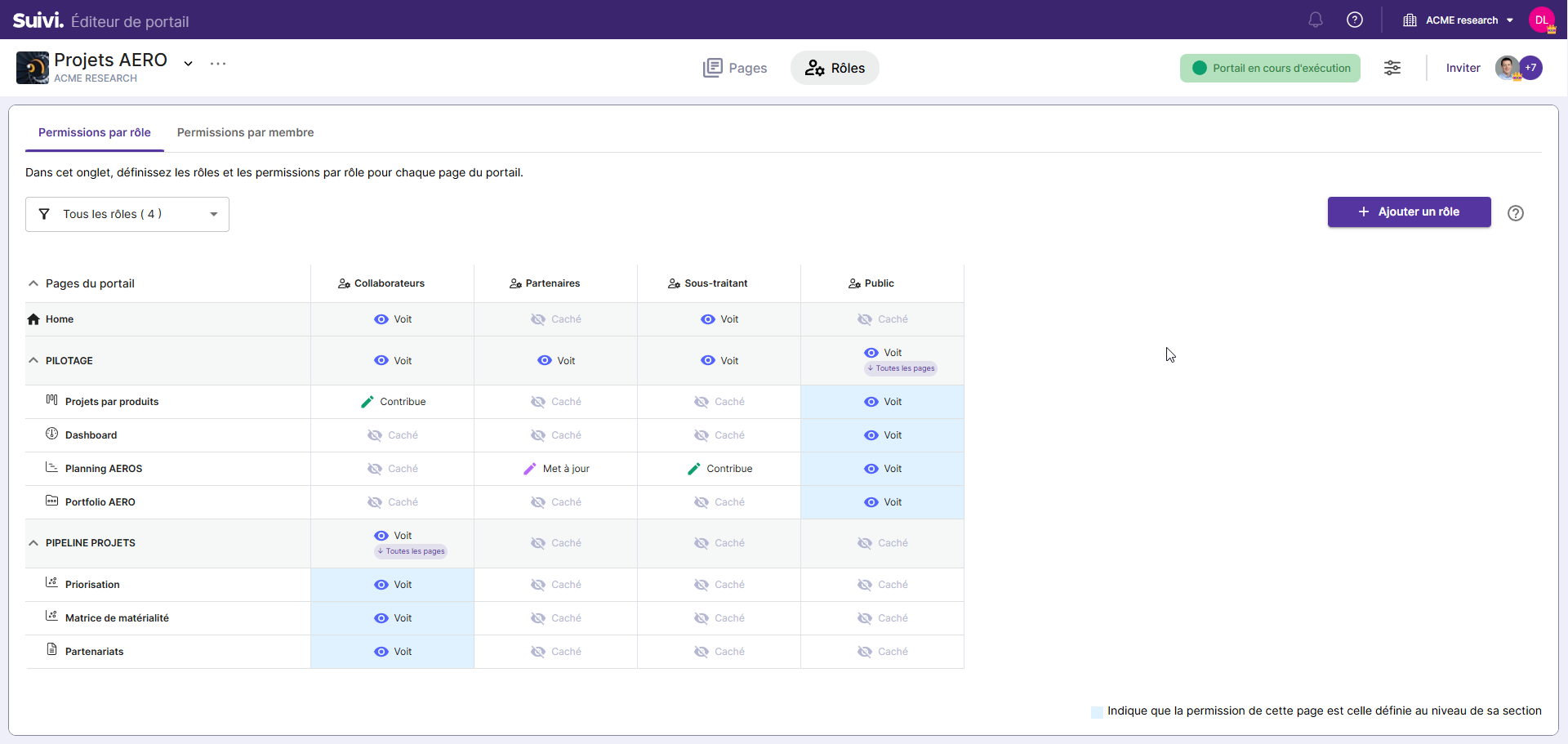
 Available Permission Levels
For each portal page, you can define:
-
Hidden (invisible page)
-
View (read-only)
-
Comment (comments on “viewed” pages)
-
Update (modification / comments depending on the page type)
-
Contribute (add + modification + comments, depending on the page type)
 To Note (Important)
-
There are 2 types of roles:
-
System roles (Administrator, Client Administrator, Contributor, Visitor) for designing / administering the portal
-
Business roles for managing access to portal content
-
-
A member’s effective rights may depend on several factors: business roles + system role + rights already present in the boards whose views are exposed (the highest permission takes precedence).
-
A “Permissions by Member” utility helps verify what a member (or a team) can actually do in the portal.
 The complete documentation for creating a portal (and configuring roles & rights)
 Find the documentation here: https://doc.suivi.work/fr/articles/1768264585-concevoir-un-portail-suivi
 We want your feedback!
Have you already set up a portal (internal, client, COMEX, project steering…)?
Share your use cases: what business roles do you use?