How to share a portal publicly? The idea is that an external person can view the portal just by having the URL.
Hello @Seydou_CONTE Glad to see you at work on Suivi
Sharing information with a person currently always requires a Suivi account to access it. Sharing via a free access URL without authentication is not recommended #security.
Also, I suggest you check, with the necessary approval from your organization, if you can invite people to collaborate on your tenant, with a “visitor” role. The ideal way to do this is to go through a portal to only allow access for this/these visitor(s) to the intended views (and not the entire board).
Don’t hesitate to follow up if you have any comments or need help.
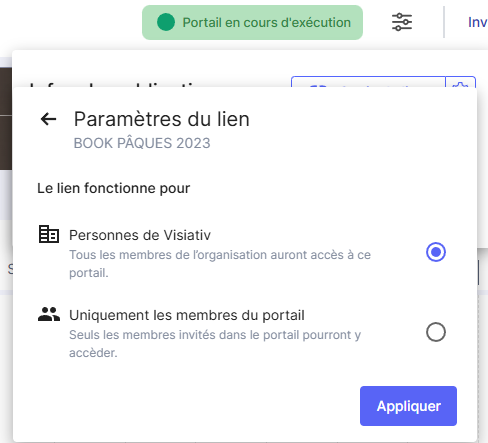
There is no “truly” public access link possible in Suivi, as it is very rare for people to create portals and wish for them to be indexed by Google or ChatGPT… It is however possible to share a portal with all members of a tenant (organization) without an invitation, with just the sharing URL and if the option to share with all members of the organization is checked in the sharing link settings.
1 Like