Hello,
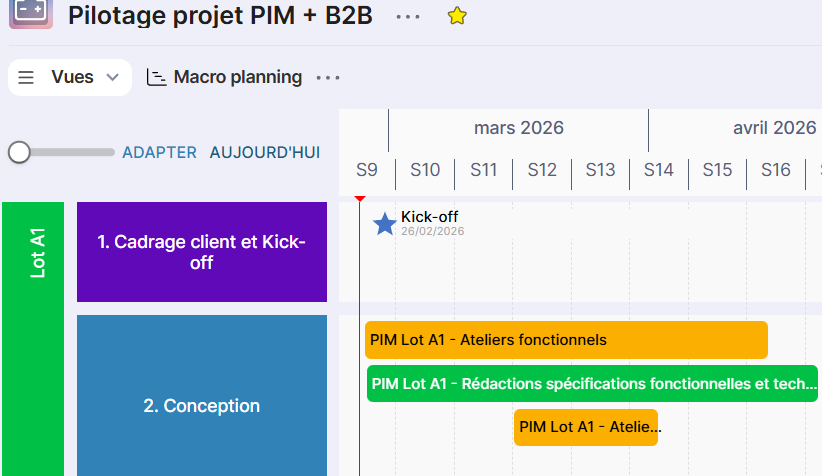
In the Macro planning view of project steering boards, I would like to be able to manage the top-to-bottom order of my tasks. Indeed, I sometimes have several tasks in parallel that start at different times, which I would like to group visually together.
In the example below, I would like my two yellow tasks concerning workshops to be on lines 1 and 2 respectively, and the green bar for writing specs to be on line 3.
They are in the order I want in the Macro Activities view, but the order is not reflected in the Macro planning view (and you cannot manually change the order in the macro planning view)