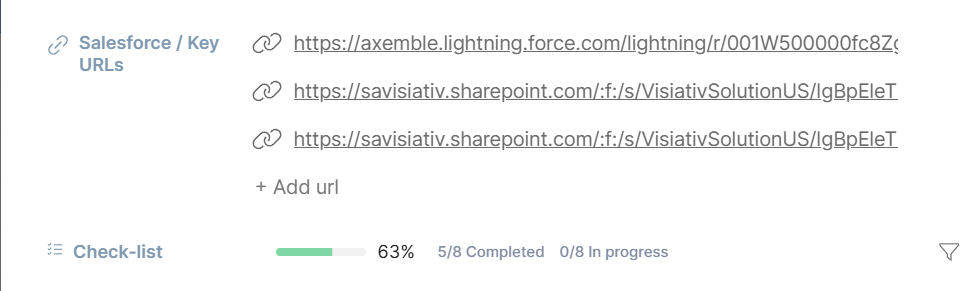
Looking at these URLs, it is tough to understand where they go to. If I copy a URL from a browser and paste it into Teams, Outlook, Word, etc, the title of that URL’s page is shown instead of the raw URL. I would like to have the same so that it is easier to understand which page I am going to.
Hello Eeal.
There’s a very practical tip for that!
You can precede the URL with a more readable name before the URL, and this name will be used for display. It’s separated from the URL by the character “;”.
Otherwise, the raw URL is indeed displayed.
For example: Suivi;https://www.suivi.work
Share without moderation. Enjoy 
1 Like
Thank you for this information. I am not sure that I would have found this if I was a customer and didn’t ask. I am used to having other tools simply capture the title of the target URL and include it as the name of the link. I would ask that you consider this as an enhancement for usability.
2 Likes
Hello Earl,
You are absolutely right: this tip is documented here, but it’s not very highlighted.
While waiting for a UX/UI improvement on this point, I will create a dedicated post to give it more visibility.
And thank you for your question, which will undoubtedly be useful to many other users: that’s the whole point of this forum 
1 Like